
Overview
Five parts that work together
Your product data drives the filters, the category pages and the landing pages. Search and merchandising sit on top, and the analytics tell you what to change next.
Site search
Typo-tolerant search with synonyms, autocomplete and search within a category, so shoppers find things in their own words.
Filters
A filter rail chosen for each set of results, with colour swatches, ranges and counts that stay honest. Built for phones too.
Taxonomy & categories
Structured product data that drives filters, specifications and category pages, edited in the admin.
Brand & colour landing pages
A page for every brand or colour in a category, with its own heading and description, ready to be found in Google.
Merchandising & insight
Decide what comes first, steer searches, and see which searches turn into sales.
New
On every listing and product page
Shoppers can choose a colour, add to their basket and find the next thing without leaving the page they're on. Swatches and quick add come in every theme except Atelier, and each can be switched off.
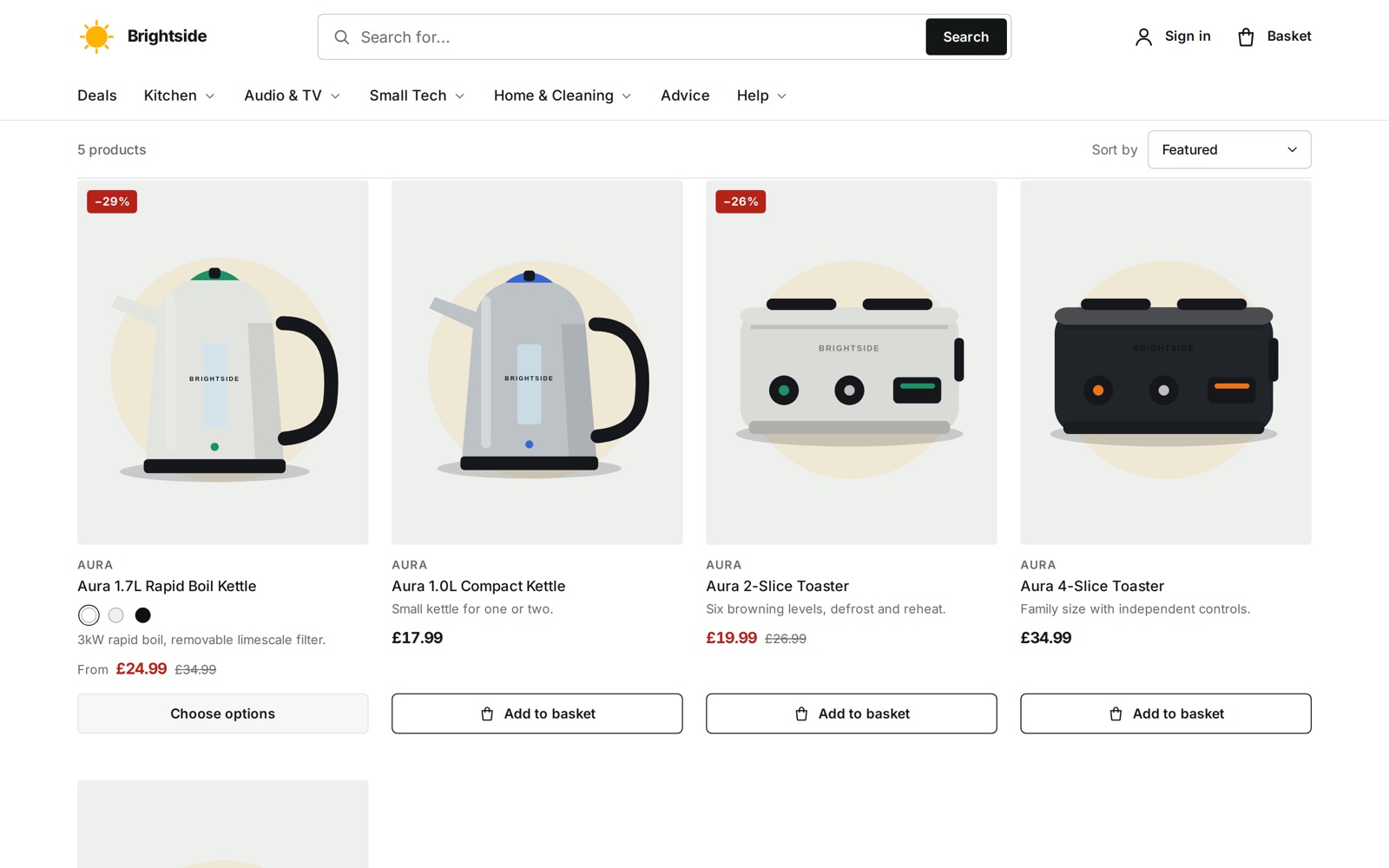
Colour swatches on product cards
A product that comes in two or more colours shows a dot for each under its name. Choose one and the card's photo changes to that colour, loaded only when it's chosen.
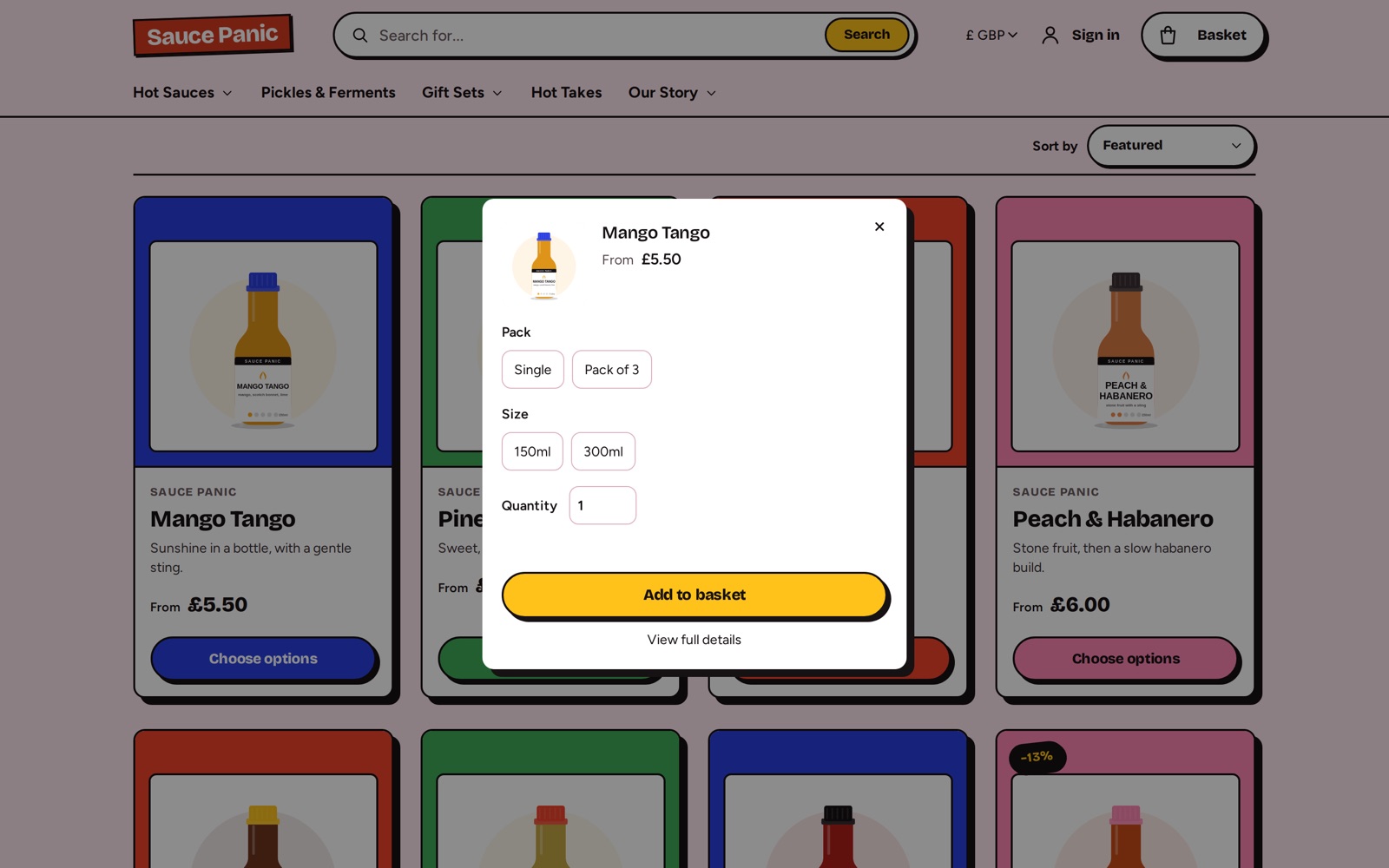
Quick add
Choose options opens the product's sizes, colours, price and stock over the listing, with Add to basket. Anything sold out is struck through, and the basket updates without leaving the page.
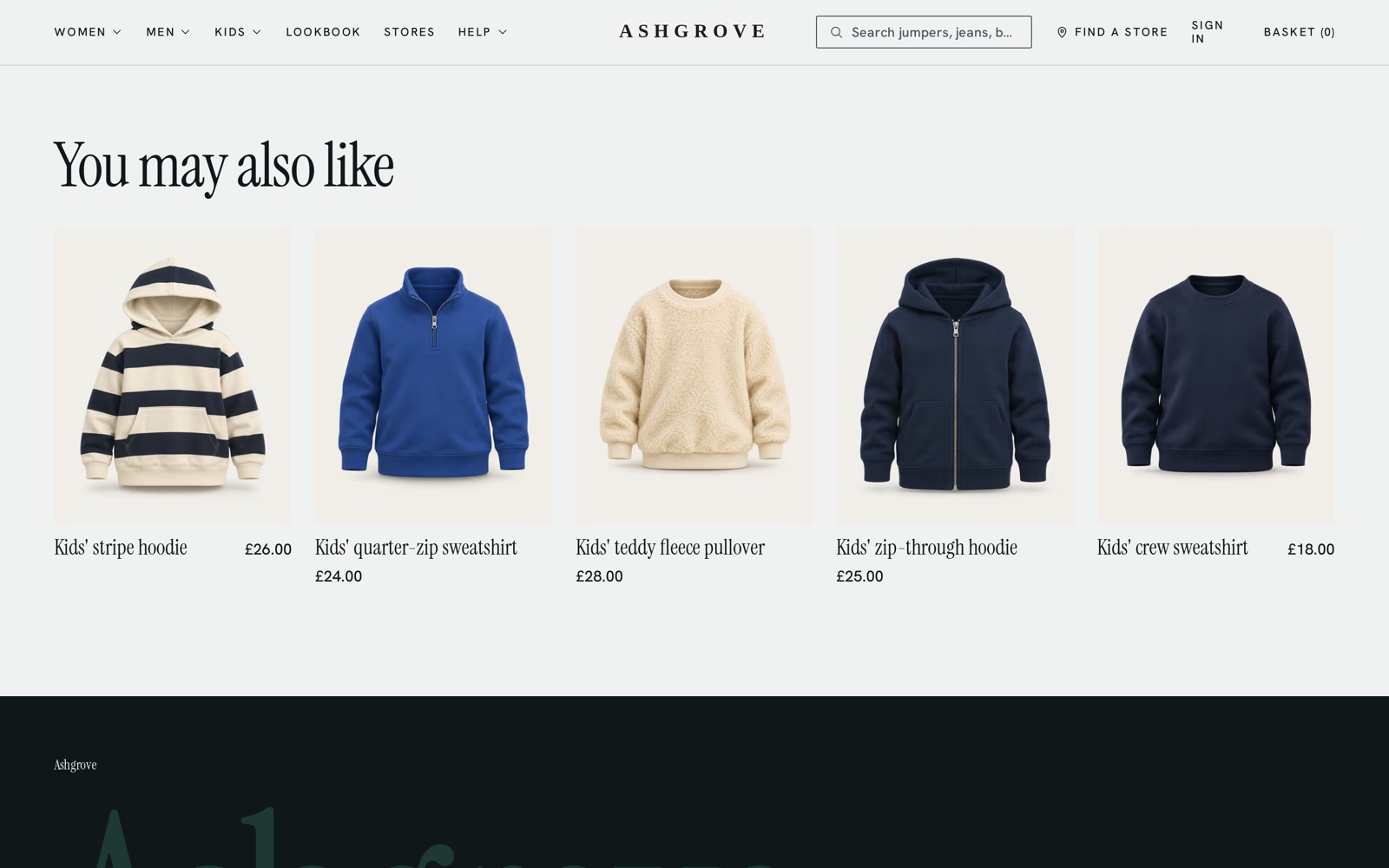
You may also like
Every product page suggests related products from the same collections and categories. The lists are worked out for you in the background, so there's nothing to set up.
See it working
A trade catalogue of 200 products
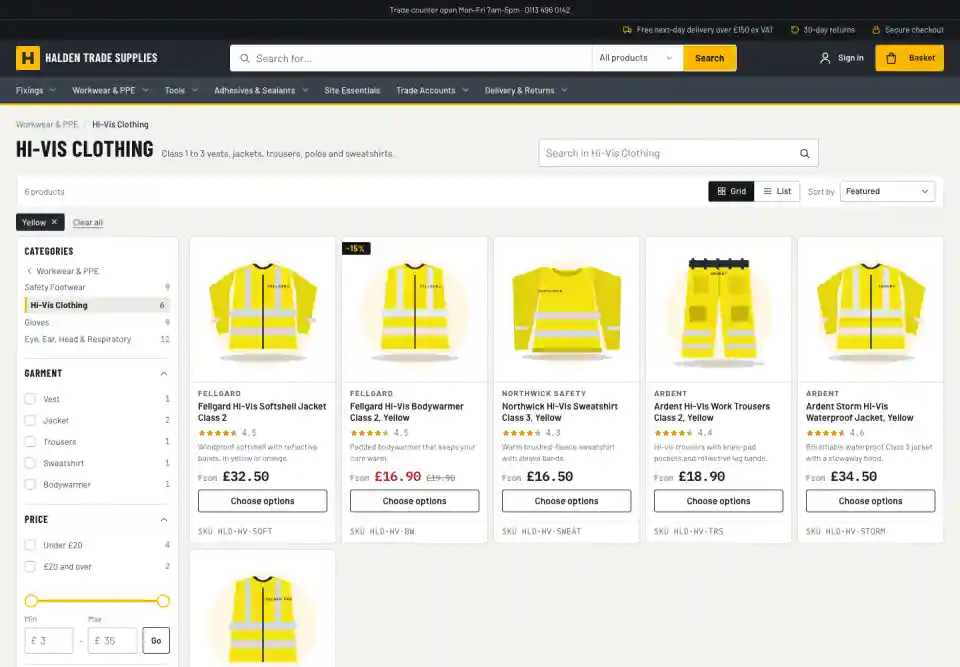
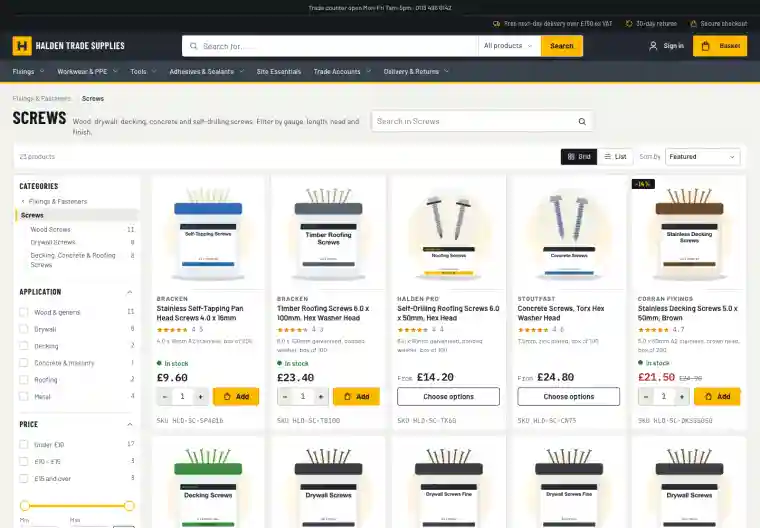
Halden Trade Supplies is a demo builders' merchant on Badger Commerce. Every feature on these pages is switched on there, so you can try them as a shopper would.
Screws: lengths as a range with a slider, and search within the category
Hi-vis clothing: colour swatches and links to each brand
Kestrel power tools: a generated brand page
Search for "screws" for a message above the results, or "returns" to go straight to the returns page
What comes with each edition
Lite
Enterprise
Search
Fast keyword search
Keyword search plus autocomplete and suggestions
Navigation
Collections and menus
Plus filters on any attribute
Collections
Curated by hand
Hand-curated or driven by taxonomy and saved searches
Taxonomy
Not included
Full taxonomy engine with completeness scores
Search analytics
Included
Included
Article search
Pages and blog posts (opt in)
Pages and blog posts (opt in)
With your AI assistant
Tune search by conversation
Through the shop's MCP connection, an assistant such as Claude can review and add synonyms, explain a search, set pins and boosts, and manage landing pages. It works under the same rules as the admin.
You
Which searches found nothing last week?
siteTraffic zeroResultSearches
Claude, via the Badger MCP server
Three stood out: "wellies" (14), "ear defenders" (9) and "m10 bolt" (6). You sell all three under other names. Shall I add synonyms for the first two and give the M10 coach bolts the search term "m10 bolt"?
Example conversation. The tool calls shown are the real ones the assistant uses.
See it working, then decide
Try the Halden demo, start a 14-day Lite trial, or talk to us about a larger catalogue.